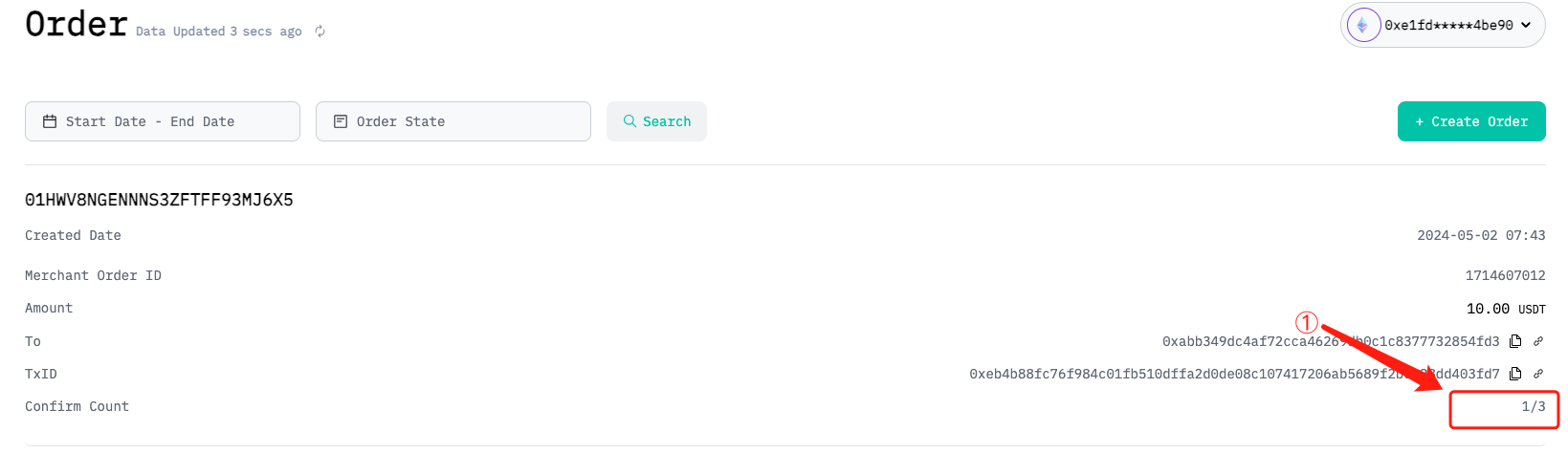
2.4 Create Order
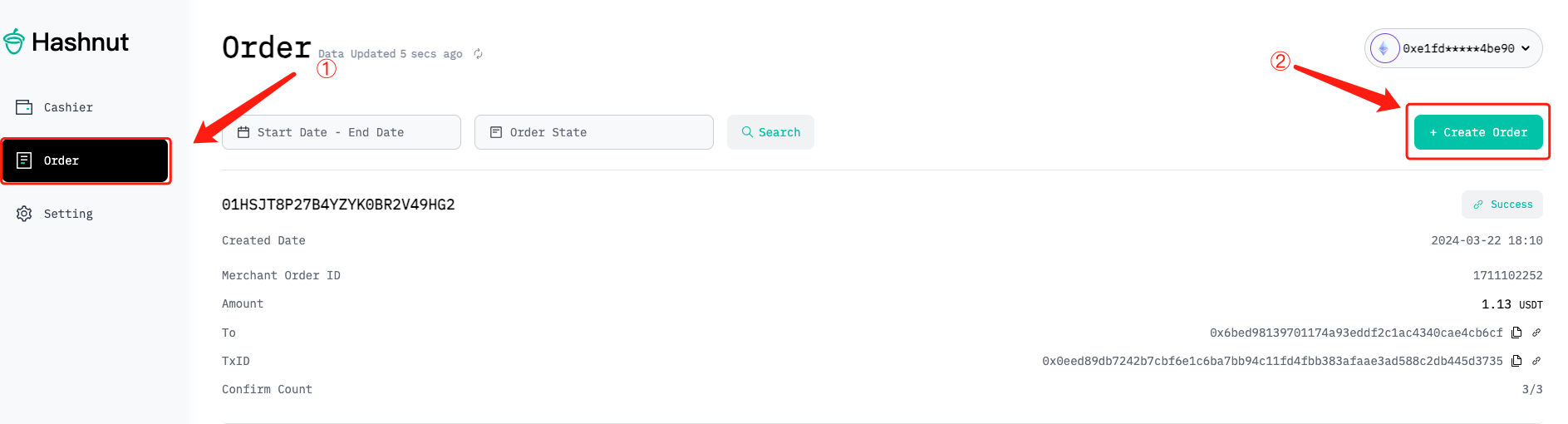
Create Order
Enter the order interface, click on the order button on the left navigation bar
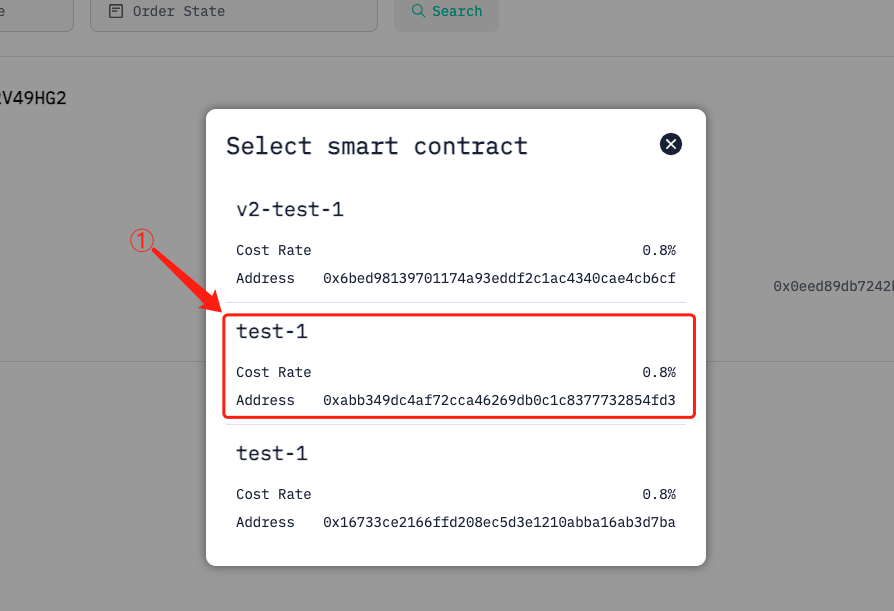
Select the smart contract to receive payment
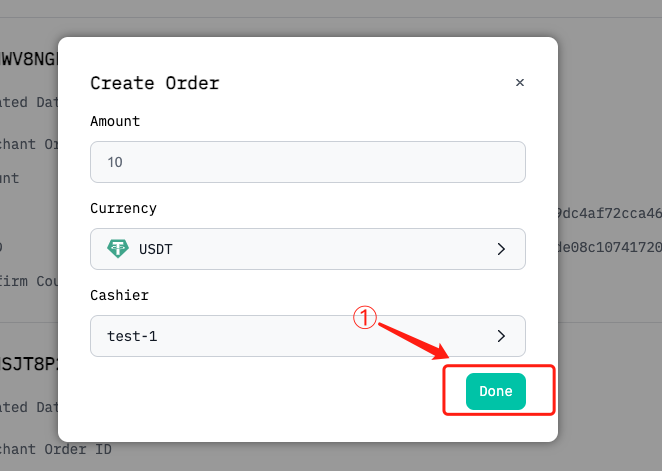
Fill in the order parameters
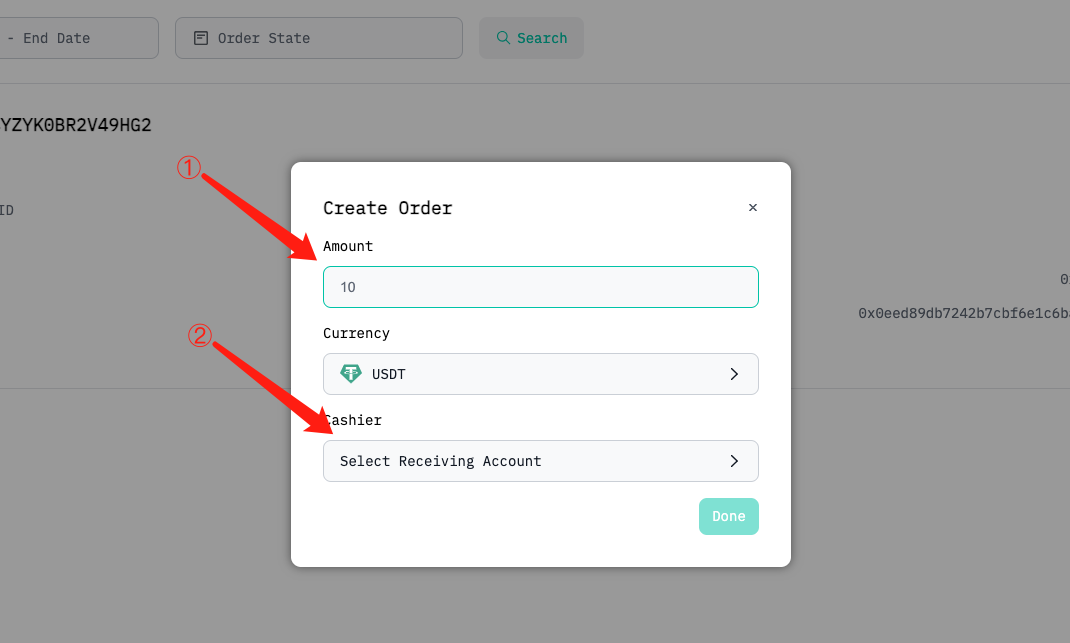
Click on confirm to create the order
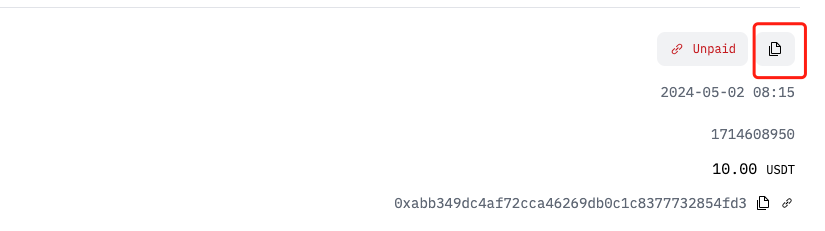
Copy the order payment URL to the user
User enters payment page
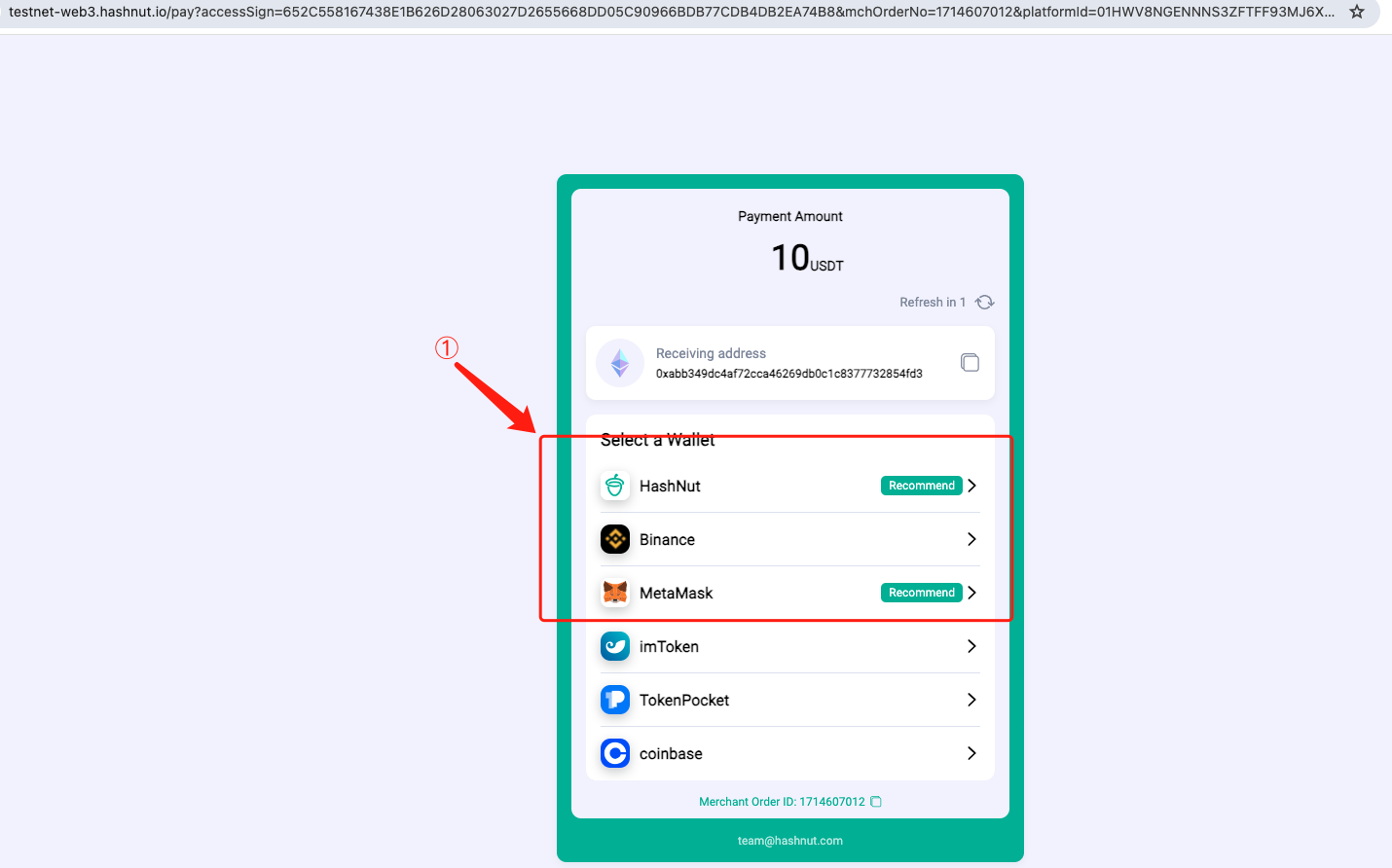
After receiving the payment link, the user can click on the payment button on PC, a payment QR code will pop up, then the user can scan the QR code using imToken, TokenPocket, or other apps to complete the payment
Merchant Check Order Payment Status